Kobuki PlayGround
easynav_playground_kobuki is EasyNav’s indoor reference: a Turtlebot2 (Kobuki) with a 2D lidar in the AWS RoboMaker small house, with costmap and simple map configurations.
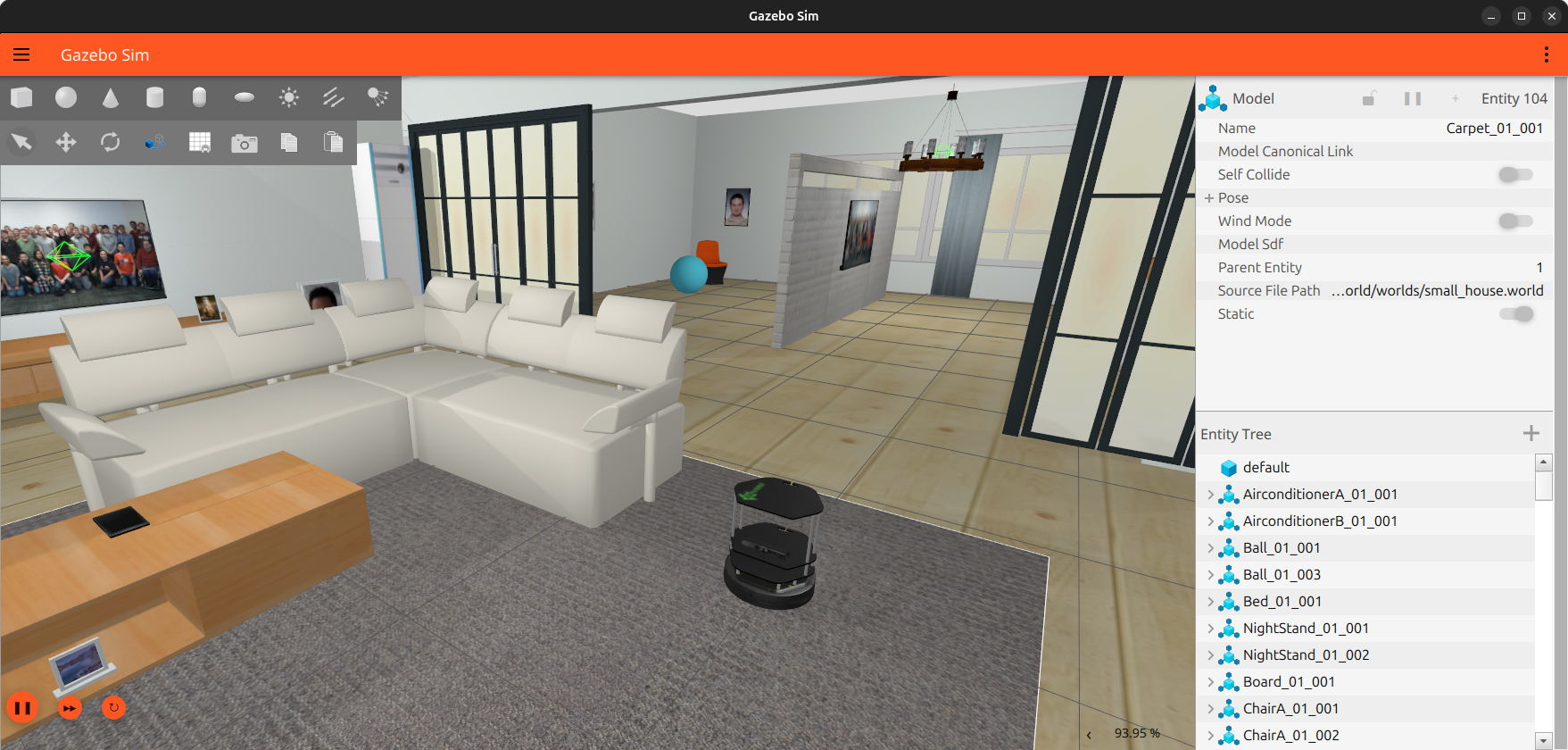
See PlayGrounds to install it.
Multirobot
Two Kobukis, r1 at (0, 0) and r2 at (2, 1), each with its own EasyNav and RViz2:
ros2 launch easynav_playground_kobuki easynav_multirobot.launch.yaml
Each robot uses its own namespace for topics (/r1/scan_raw), its own TF topic (/r1/tf) and
prefixed frames (r1/map, r1/base_link). The parameters are in
params/costmap_multirobot.params.yaml, with one section per robot. See
Multi-Robot Navigation with EasyNav.
Simulation only
To run Gazebo and the Kobuki without EasyNav or RViz2:
ros2 launch easynav_playground_kobuki_worlds gazebo_sim.launch.yaml
or, with two robots, multirobot_gazebo_sim.launch.yaml. To add a robot to a running
simulation, use kobuki.launch.yaml with a namespace and a spawn pose (x, y,
Y…).
The simulated Kobuki publishes /scan_raw (sensor_msgs/LaserScan), /odom,
/joint_states and TF, and listens on /cmd_vel. With camera:=true it also publishes
/rgbd_camera/{image,depth_image,points,camera_info}.
Launch files
The launch files (in launch/, in YAML) build on each other:
easynav_<config>.launch.yaml            # sets params_file and rviz_config
└── easynav_gazebo_sim.launch.yaml      # + EasyNav + RViz2
    └── gazebo_sim.launch.yaml          # Gazebo + one Kobuki
        ├── world.launch.yaml
        └── kobuki.launch.yaml

easynav_multirobot.launch.yaml          # + two EasyNav + two RViz2
└── multirobot_gazebo_sim.launch.yaml   # Gazebo + two Kobukis
    ├── world.launch.yaml
    └── kobuki.launch.yaml (x2)
What each one starts:
world.launch.yamlThe Gazebo server with the small house world (
gz sim -r -s), the Gazebo GUI client (ifgui), and a bridge for/clock. Gazebo is started without a shell, so Ctrl+C stops it and no server or GUI is left behind.kobuki.launch.yamlOne Kobuki:
robot_state_publisherwith the robot model (lidar, optional RGBD camera), the spawner (ros_gz_sim create), and the ROS–Gazebo bridge for its topics (cmd_vel,scan_raw,odom,joint_states,tf; and the camera’s, withcamera:=true). Withnamespace, everything goes in that namespace, with its own TF topics and prefixed frames.gazebo_sim.launch.yamlworld.launch.yamland onekobuki.launch.yaml: the simulation, without EasyNav.multirobot_gazebo_sim.launch.yamlworld.launch.yamland two Kobukis:kobuki_1in namespacer1at (0, 0) andkobuki_2inr2at (2, 1).easynav_gazebo_sim.launch.yamlgazebo_sim.launch.yaml, then, after 5 s, EasyNav (easynav_system system_main) withparams_file, and RViz2 withrviz_config(ifrviz). If EasyNav exits, the whole launch ends.easynav_<config>.launch.yamleasynav_gazebo_sim.launch.yamlwith the parameter file and RViz2 configuration of that configuration (table below).easynav_costmap_rpp_safealso publishes the “all clear” safety status (ros2 topic pubon/easynav_safety_status, ifsafety_channel).easynav_multirobot.launch.yamlmultirobot_gazebo_sim.launch.yaml, then an EasyNav and an RViz2 per robot, in its namespace and with its TF topics, all withparams/costmap_multirobot.params.yaml.
Launch file |
Parameter file ( |
RViz2 configuration ( |
|---|---|---|
|
|
|
|
|
|
|
|
|
|
|
|
|
|
|
|
|
|
|
|
|
|
|
|
|
|
|
|
|
|
|
|
|
|
|
|
|
|
|
|
|
|
Package layout
Directory |
Contents |
|---|---|
|
Launch files, in YAML |
|
EasyNav parameters, one file per configuration |
|
|
|
RViz2 configurations |
|
ROS–Gazebo bridge topics |
|
Kobuki model |
|
Small house world |